Normal files
Ordinary Markdown files. Normal folders and attachments. A workspace you already know how to use.

AI notes, without the noise.
Write, organise and work with your notes
using the model you want.
Obby is a native macOS notes app built around normal files. Write notes, organise folders, search your work and ask AI questions — without plugin mazes or proprietary formats.
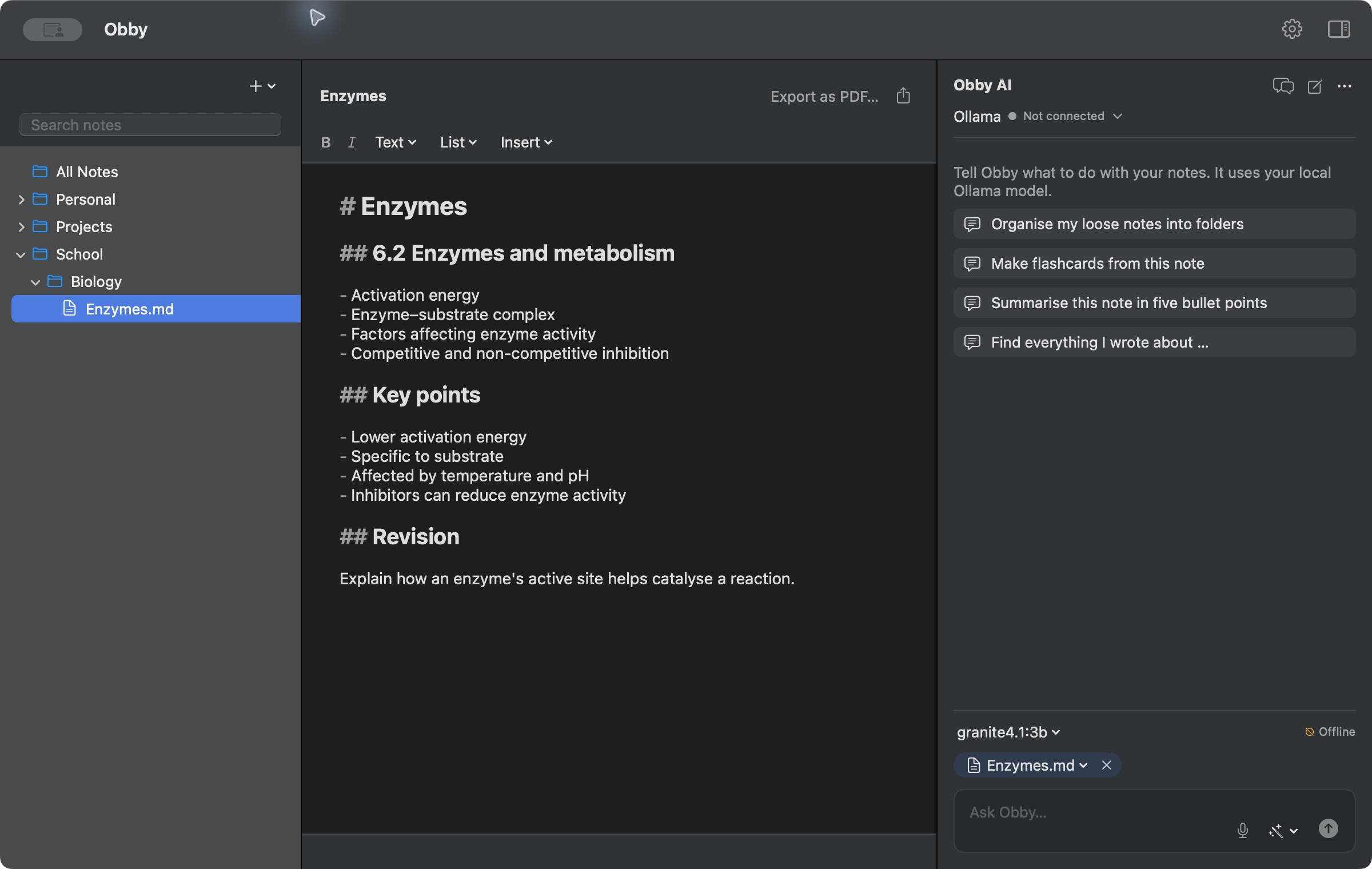
Ordinary Markdown files. Normal folders and attachments. A workspace you already know how to use.
Search, organise and edit notes through controlled tools, when you ask. More than a conversation beside your work.
Run a local model through Ollama or connect a supported provider. The choice stays with you.
A native app.
Just the things you need.
Obby’s assistant works with your actual notes through a controlled tool layer. Find a thought, read the relevant notes, create a new one, or ask for an edit.
01Find and read the notes that matter.
02Create, edit and organise when asked.
03Read supported attachments, including PDFs.
Your notes folder is the source of truth. Obby doesn’t lock your writing inside a proprietary database.
Open your files in Finder, Obsidian, VS Code or any Markdown editor. They’re still yours when Obby is gone.
Obby/
├── School/
│   └── Biology/
│       ├── Enzymes.md
│       └── Revision.md
├── Projects/
└── Attachments/
The Design and Construction of Obby, a Local-First Notes Assistant with Selective, Self-Maintaining Memory
I documented the architecture, mistakes, testing and design decisions behind Obby in a technical report.
Report link coming soon.
Native Swift and SwiftUI. Open source under Apache 2.0. Read the code, build it yourself, or help make it a little better.
View source on GitHub
Download for macOS
GitHub
Apple silicon · macOS 13 or later
First launch may require confirmation in
System Settings → Privacy & Security.